Personal trainer scheduling software
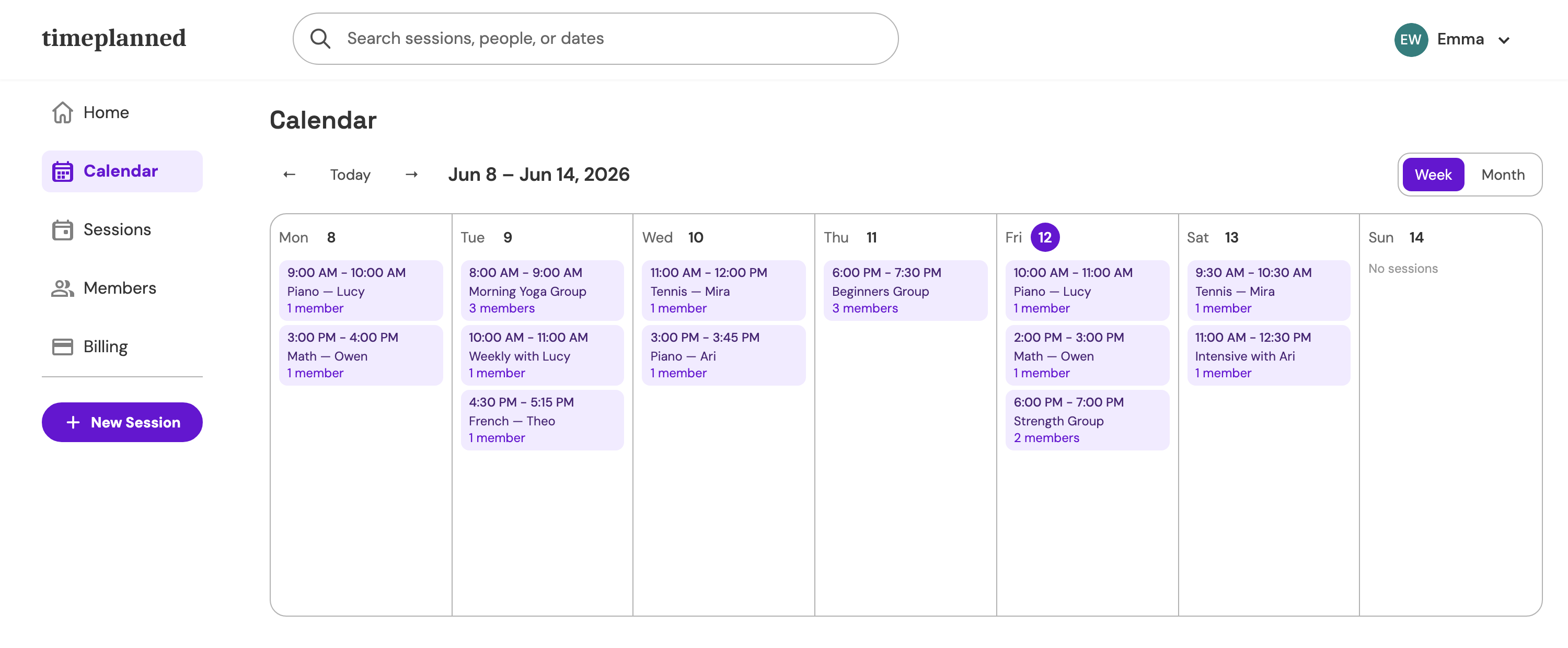
One-on-one sessions and group classes with capacity limits and attendance, run from one place instead of the admin desk.
Payment received
€50 · Piano · Lucy L.
Sound familiar?
- 01
Your Tuesday class fits twelve people, fourteen said they're coming, and the waitlist is a chat thread.
- 02
Clients cancel by text an hour before their slot — and without records you absorb it every time.
- 03
Who's on a 10-session card, who pays monthly, who owes for last month? It's all in your head.
How Timeplanned handles it
Class capacity & waitlists
Cap every group class at the size you can actually coach. When it's full, new clients queue on the waitlist and move onto the roster with one click when a spot opens.
Recurring sessions
Weekly classes and standing one-on-one slots are set up once — Timeplanned creates every occurrence, including holidays and exceptions.
Attendance per visit
Every visit is marked taken, cancelled, or missed per client — no-shows stop being invisible.
Session packs & payments
Sell session packs, bill automatically at month-end, and — when you bill in euros — collect by SEPA direct debit.
$9.99/month — one price, everything included
60-day free trial, no credit card. Founding members lock in $5.99/month for life on the Solo plan.
See pricingTrainer questions, answered
- What is the best scheduling app for personal trainers?
- Trainers need group capacity, waitlists, and per-client attendance on top of a calendar. Timeplanned covers all of that in one $9.99-per-month plan, with a 60-day free trial and no credit card to start.
- Can I cap class size and run a waitlist?
- Yes. Set a capacity per session; when it's full, new members go on the waitlist and you move them onto the roster with one click when someone drops out.
- Can clients see their remaining sessions?
- Yes. Clients sign in to the member portal with an email link — no password — and see upcoming sessions, the remaining balance on their session card, and their payment status.
- Does Timeplanned handle payments?
- Attendance rolls into automatic month-end billing, payments are tracked per client, and trainers who bill in euros can collect by SEPA direct debit processed via Stripe.
Take Back Your Teaching Schedule
Start your 60-day free trial today. Every feature unlocked, no credit card required.
Start free trial